Proyecto Legajo: Retiring a Family Law Firm's Access Database for a Modern Web App
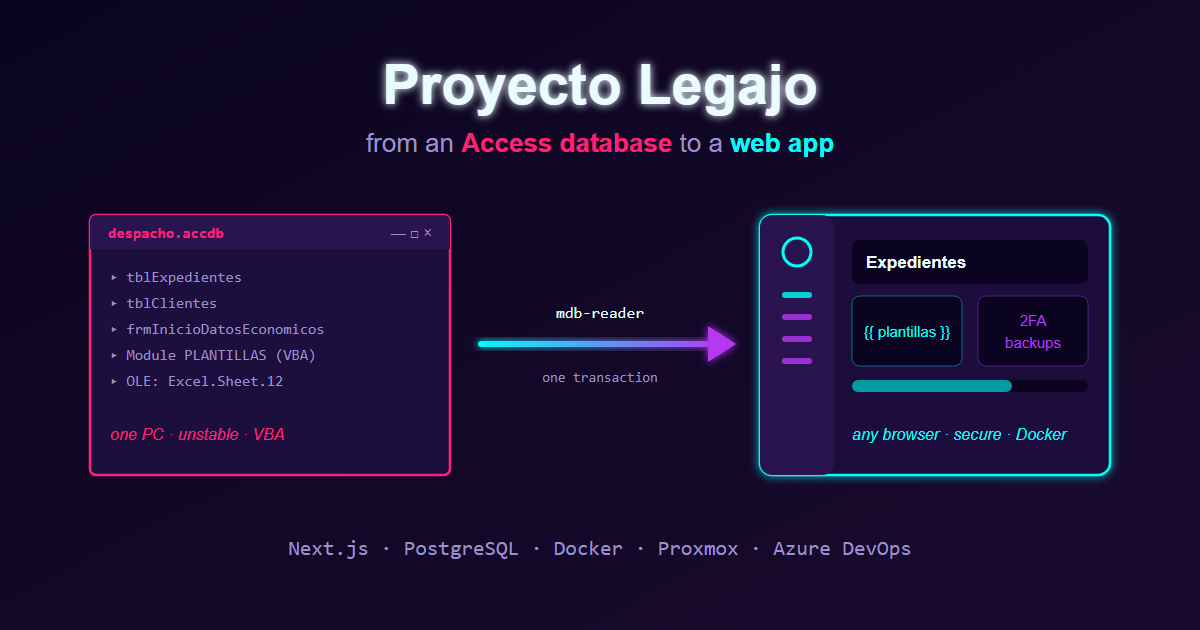
A custom Access database with VBA, Word templates and Excel sheets hidden inside OLE fields, rebuilt as a secure web app in a weekend. How the migration works, how the old Word automation was reproduced, and how it ships to my Proxmox with an approved, self-healing release.
Every family has an IT person. In mine, that’s me.
A family law firm had been running for years on a custom Microsoft Access database: clients, case files, opposing parties, payments, deadlines, and VBA code that filled in Word templates to produce the firm’s legal documents. It worked, mostly. But it was unstable, it only ran on one PC, and nobody wanted to be around the day it stopped opening.
So I started Proyecto Legajo (a legajo is the bundle of papers that makes up a case file in Spanish law): a web app to replace that Access database without losing a single record, template or habit.
This post covers the parts I found interesting: reading Access without Access, reproducing years of Word automation, designing for a user who isn’t technical, and shipping it all to my homelab with a release that rolls itself back.
📋 The requirements
They were short and non-negotiable:
- Modern and nice to use, from the office and from home.
- Serious security: the data is confidential (clients, ID numbers, court cases, sometimes health data).
- Several users with their own login.
- Backups that can actually be restored.
- Everything in Docker, with the repo and CI/CD in my Azure DevOps.
And one constraint that shaped everything: the firm keeps using Access until the switch-over day. The new app has to be loadable from the Access file again and again, as many times as needed, until everyone is happy.
🧱 The stack
| Piece | Why |
|---|---|
| Next.js 16 (App Router, server actions) | One TypeScript project, no separate API |
| PostgreSQL 17 + Drizzle ORM | Robust, and unaccent + pg_trgm to search names without worrying about accents |
| better-auth | Email and password only, no public sign-up, TOTP 2FA and admin roles |
| docxtemplater | Word templates the lawyer can still edit in Word |
| Tailwind + shadcn/ui | A UI that doesn’t look like 2004 |
| Caddy | Reverse proxy in front of the app, automatic HTTPS when it’s exposed directly |
One design choice saved a lot of time: there are around 12 entities with dozens of fields inherited from Access. Each one is defined once, and the form, the detail view and the server-side validation are all generated from that single definition. Adding a field doesn’t mean touching three places.
🗄️ Reading Access without Access
The importer reads the .accdb file directly with mdb-reader, a pure JavaScript library. No Access, no Windows, no ODBC drivers. I checked it against an ACE/OLEDB export done at the start: same 49 tables, row for row.
How the import works:
- Upload, analyse, confirm. “Analyse” runs the whole import inside a transaction and rolls it back, so the summary and the warnings you see are exactly what the real import will do.
- All or nothing. The real import also runs in one transaction, after an automatic backup.
- Repeatable. It replaces the firm’s data each time, but keeps users, the activity log, uploaded Word templates and the documents attached to case files, relinking them by their old Access IDs.
Because real data is never clean, the importer also handles the quirks of years of hand-typed records:
- Case codes with typos. The short code (
NNNYY) is reliable, the “full year” field isn’t: there are years like 2070 and 9022. The short code wins and the mismatch goes to the warnings report. 00:00times that in Access meant “no time” become empty.- Dropdown IDs stored as values. The archive box field held the ID of a lookup table, not the box number. ID 35 is box “135”.
- Excel sheets inside OLE fields. The “economic data” of each case (fees, costs, interest) lived in Excel sheets embedded as OLE objects. Under an Access header and an OLE2 compound file there’s a
Packagestream that is the actual.xlsx. The importer extracts it and attaches it to the case file as a normal document.
If you ever have to migrate an Access database: make the import repeatable and transactional from day one. You’ll run it dozens of times, and the business keeps working in the old system the whole time.
📝 Reproducing the Word automation
This was the hardest part. The old app produced the firm’s documents by opening a Word template full of bookmarks (WAutos, WApellidosExpedientes…) and having VBA fill them in.
To see what that VBA actually did, I had to read it. Opening Access through COM automation just hung. What worked was attaching to an Access instance that was already open (GetActiveObject) and reading the code from VBE.VBComponents(...).CodeModule, without running any macro.
What Legajo does with it:
- Templates convert themselves on upload. Every
W…bookmark is replaced by a variable like ``, with Spanish filters such asfechaLarga,monedaandimporteLetras(amounts written out in words). - Bulk upload. All the templates go up in one go and are matched to their old Access records by file, old path or name. In the real test: 56 templates, 53 uploaded, 3 duplicates skipped, 0 unknown bookmarks.
- Values VBA calculated are asked for. Invoice amounts were never stored. Legajo asks for them when generating the document, with readable labels. And no inventing tax maths without the lawyer confirming it.
- Bugs fixed on the way. The templates had a fixed “DE” or “DE LO” before the court name, and the court data sometimes already included it, so you’d get things like “AL JUZGADO DE LO DE FAMILIA”. Legajo now picks the right preposition. Word splits text across several
<w:t>runs, so you have to look at the paragraph as a whole to spot it.
The lawyer’s own details for the documents (bar number and bar association) live in his user profile, not in the imported directory. Otherwise every re-import from Access would wipe them.
🔐 Security for confidential data
- No public sign-up. Users are created by an admin. 2FA is mandatory, with recovery codes and a 30-day “trust this device” option.
- Rate limiting on login, 2FA codes and password changes, stored in the database so restarts don’t reset it.
- Session and role checks on every page, action and API route, not just in the proxy layer, plus strict server-side validation of every form.
- ID numbers and IBANs masked on screen until you click “Show”, for an office with clients sitting across the desk. Lists only show the last 4 characters.
- An activity log with before-and-after values for every change, and failed logins too.
- CSP, CSRF origin checks and security headers. The app container runs read-only, unprivileged and with no capabilities, and PostgreSQL is never exposed.
Backups you can restore without me
- A daily
pg_dumpof the whole database (templates and documents included, because they live in it), encrypted with AES-256-GCM, plus manual backups and retention. - Restore from inside the app: admin with 2FA, password, and typing
RESTAURARto confirm. It verifies the backup first, takes a backup of the current state, and swaps the database in a single transaction. A broken backup changes nothing. - A
restaurar.shon the server for the day the app itself won’t start.
Tested end to end: back up, decrypt, restore into an empty database, compare record counts.
👴 Designing for a non-technical user
The main user is an experienced lawyer, not a computer person. That changed a lot of small decisions:
- A guided tour that walks through each part of the app, plus help on every screen and a “first steps” checklist on the home page (import, templates, 2FA, lawyer details).
- Masked sensitive data by default, so nothing leaks just by looking at the screen.
- What was collected this month, browsable month by month with arrows, because that’s the question that gets asked every month.
- A fresh indigo-violet design, an animated login screen, and the deployed version shown on the login and in the sidebar, so “which version are you on?” has an answer.
🚀 Shipping it to the homelab
Legajo runs on a Proxmox LXC with Docker Compose: app, PostgreSQL and Caddy. Caddy sits behind my Nginx Proxy Manager, and it overwrites X-Real-IP with the real client IP, because the rate limiting and the activity log depend on it.
The build pipeline
On every push, Azure DevOps runs lint, type checks, npm audit and Trivy, builds the image and pushes it tagged with the package.json version. Like my other pipelines, it fails if that version already exists. It also publishes a small deployment artifact: the compose folder, which is all the server needs. Nothing is compiled on the server.
The release, with approval and rollback
A classic Azure DevOps release with an approval gate copies the artifact to the LXC and runs desplegar.sh over SSH:
- Pull the new image first. If the registry login fails or the tag doesn’t exist, the running service isn’t touched.
- Take an encrypted backup with the version that’s currently working.
- Change only
LEGAJO_VERSIONin.envand bring the stack up. - Wait for the health check, migrations included.
- If it isn’t healthy, roll back to the previous version automatically, and print the last log lines.
1
2
bash desplegar.sh          # deploy the version that came with the artifact
bash desplegar.sh 0.1.3    # or any specific version, also for going back
One honest caveat is written into the script itself: database migrations only go forward. If a new version migrated the schema and then failed, the old version might not understand the database, and the fix is restoring the backup from step 2. That’s exactly why step 2 exists.
A small gotcha: Docker writes its progress to stderr, and Azure’s SSH task paints all of stderr as errors. The script sends everything to stdout and marks real failures explicitly with ##[error].
🪤 Traps that cost me time
- Next.js 16 isn’t the Next.js you remember. Middleware is now
proxy.ts, and withcacheComponentsanything that reads cookies or headers has to live inside<Suspense>. - Its proxy buffers request bodies with a 10 MB limit. The
.accdbis around 26 MB, so the import endpoint bypasses the proxy and checks session, role and origin itself. - Never use
toISOString()for calendar dates in Spain. At midnight it gives you the previous day. - CRLF line endings broke the shell scripts, the
Dockerfileand theCaddyfileon Linux. A.gitattributesforcing LF fixed it for good. - The first page after login came up black until you refreshed. The fix was a full page load after signing in.
- “My account” broke after 15 minutes, because listing sessions requires a recent login. Sessions are now read straight from the database.
✅ Where it is now
Almost 3,000 case files and nearly 2,000 clients import in seconds, the templates generate the same documents Access did (a few with fewer mistakes), backups restore, and releases deploy themselves after an approval. The firm keeps working in Access while it tries Legajo, and reloading the data is one button away.
Next step: the switch-over day, when the Access file finally gets archived. 🚀