Silent Backups, a Choking etcd and a Cert That Never Was: Six Weeks in the Homelab with Claude Code
Backups that quietly stopped for 80 days, nightly jobs strangling Kubernetes, a certificate retried 5,108 times, a Dockerized CI agent and my own Harbor registry. Six weeks of pair-working with an AI agent.
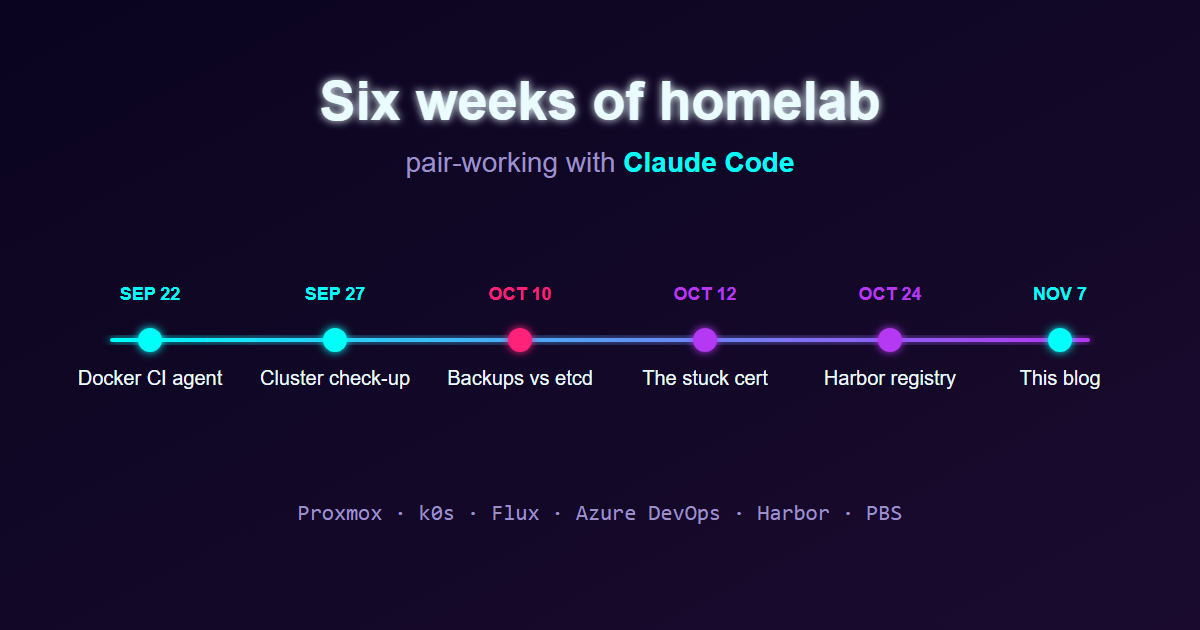
Every job said OK. The dashboards were green. And yet three of my VMs hadn’t been backed up since July, and every night my Kubernetes API was throwing more than a thousand errors an hour.
That’s how the last six weeks started getting interesting. I’ve spent them doing most of my homelab work with Claude Code next to me in VS Code, and this post is the log: the real problems we found, fixed and built, with the parts that were actually worth learning from.
It isn’t a review of the tool. A few of these would make a post of their own, so think of it as the director’s cut.
⚡ TL;DR
| What | The short version |
|---|---|
| Silent backups | Jobs pinned to a node skipped every VM that had migrated. 80 days without a backup, zero errors |
| etcd vs backups | Nightly backups saturated a disk, etcd p99 hit 48 s and the API failed. Throttle + a spare SSD fixed it |
| The cert that never was | A wildcard cert never issued in 150 days. cert-manager retried 5,108 times in 42 h |
| Dockerized CI agent | A versioned Azure Pipelines agent image, completed by letting real pipelines fail |
| Harbor | My own pull-through cache for Docker Hub, GHCR, Quay, registry.k8s.io and ACR |
| This blog | Its pipeline broke on a containerized agent. Fixed with one tar pipe |
The stack, for context: a 3-node Proxmox cluster on ZFS, Proxmox Backup Server (local plus an off-site datastore), a single-node k0s Kubernetes cluster managed with Flux, and Azure DevOps pipelines running Terraform and Ansible against all of it.
💾 1. The backups that said OK and did nothing (October 10)
The best detective story of the six weeks, in two parts.
Part 1: “these VMs haven’t been backed up since July”
I got warnings that three VMs (Tailscale, a reverse proxy and my Homepage dashboard) had no backups for about 80 days, even though every backup job was ending in OK.
The cause: my PBS jobs were pinned to a node, and those VMs had been migrated to another node months earlier. Proxmox only backs up the guests that live on the job’s node, so they quietly dropped out. No error, no warning. Just nothing.
The fix:
- Unpin the jobs from their nodes, so each guest is backed up wherever it lives.
- Run a one-off backup of the three, so they were covered the same day instead of waiting for the night.
- Delete 20 orphaned backups of containers that no longer exist. One by one, not by group: PBS groups backups by type and ID (
ct/103), and an ID I’d reused mixed old backups with good ones.
“Job finished OK” only means the job did what it was told. It says nothing about whether it was told the right thing. Check what each job covers, not just whether it succeeded.
Part 2: “why is the k0s API throwing errors?”
Then I noticed the Kubernetes API was misbehaving too. Plotting the metrics against the backup schedule gave a perfect match:
| When | What was running | Disk wait on the node | etcd p99 latency | API 5xx errors |
|---|---|---|---|---|
| 23:00 job | backup to off-site PBS | 65% | 48 s | 1,599 |
The k0s VM shared its disk with the backup traffic. Every night the backups saturated it, etcd couldn’t write in time, and the API server started failing.
The fix came in two steps:
- Limit the backup bandwidth to 60 MB/s on the jobs that hit that node.
- Add a spare SSD (an old Samsung 850 EVO) and move the k0s VM disk onto it.
Step 2 had its own plot twist. The SSD still carried an old Proxmox install with a ZFS pool called rpool, the same name as the node’s system pool. With both plugged in, the node didn’t know which rpool to boot from. We wiped the disk completely, created an LVM-thin storage on it and moved the VM disk through Terraform: a branch, a plan to review, approval in the pipeline. Nothing done by hand in the UI.
A backup warning turned out to be the clue to a Kubernetes stability problem. When two things misbehave, line them up on the same timeline before you start guessing.
🔐 2. The certificate that never was (October 12)
I spotted a certificate warning on the cluster. The wildcard certificate for my domain had never been issued. Not once, since the cluster was created about 150 days earlier.
Two stale CertificateRequests were stuck, and cert-manager kept trying to create a new one with the same name, failing with “already exists” and trying again: 5,108 times in 42 hours. We deleted the stuck requests, the certificate was issued, and the cluster’s HTTPS gateway finally started working.
A few days earlier we’d also given Prometheus a fixed NodePort (30090) through Flux, so I can reach it from the LAN without port-forwarding.
🐳 3. A CI agent you can rebuild (late September)
My Terraform and Ansible pipelines ran on a hand-built LXC agent: the kind of machine nobody remembers how it was set up. I wanted a container image I could rebuild, version and redeploy anywhere.
We built it from a clean ubuntu:22.04 with Terraform, Ansible, the Azure CLI and the Docker CLI. It’s pushed to my Azure Container Registry, and pool, agent name and token all come from a .env file, so the same image works for any agent.
The fun part was how the missing pieces showed up. We started from what seemed reasonable and let the real pipelines find the gaps, one failure at a time:
Must not run with sudo: the agent refuses to run as root by default, and inside the container it was root. One environment variable in the compose file fixed it.- An outdated
pipthat the Ansible install step tripped over. sshpass, because my Ansible inventory uses password auth.openssh-client, which a slim base image simply doesn’t ship.
The best test came for free: a Terraform plan/apply job that had been sitting in the queue got picked up the second the agent came online, and went green.
Two rules I’d follow from day one:
- Never deploy
latest. The compose file pinsv1.0.x, and the image’s own pipeline refuses to overwrite a tag that already exists. - Keep secrets out of the image. Every credential is injected at runtime from Azure DevOps variable groups. Nothing lives on the agent.
While I was at it I asked for a general health check of the cluster. The good news: quorum 3/3, every ZFS pool ONLINE with no errors, SMART PASSED on every disk and no pending updates. The one real finding was a nightly backup that had hung for 25 minutes uploading an old, retired container to PBS (18 GB, 0% dedup) before ending with unexpected status. The fix was to stop backing up something I no longer used.
📦 4. My own Harbor registry (October 24–26)
Two things kept annoying me: Docker Hub rate limits (429s) at home, and ACR login tokens that expire after 3 hours.
So we set up Harbor from scratch on a Proxmox LXC with Docker Compose, behind Nginx Proxy Manager for TLS, as a pull-through cache for:
- Docker Hub, GHCR, GCR, Quay and
registry.k8s.io. - My own ACR, through a private proxy-cache project. Pipelines keep pushing to ACR, and everything at home pulls from Harbor.
A robot account handles the pulls. Then:
- Compose files and Flux
HelmReleases were switched to Harbor. Helm OCI charts work through the proxy cache too. The first pull failed with “not found” and fixed itself on Flux’s next retry, most likely because the chart had been published a moment later. - My Ansible roles got an optional registry setting, so each VM’s Docker pulls through Harbor, or not, by flipping one variable.
📝 5. And this very blog (today)
Today the blog moved to its new domain, and its own pipeline broke on the way. Without its pin to a specific agent, the build landed on a containerized agent like the one from section 3, where docker run -v $(Build.SourcesDirectory):/srv/jekyll mounts an empty directory. The Docker daemon resolves that path on the host, not inside the agent container, so Jekyll greeted me with Could not locate Gemfile.
The fix was to pipe the sources in as a tarball instead of mounting them:
1
2
tar -C "$(Build.SourcesDirectory)" -cf - . | docker run --rm -i jekyll/builder:latest \
  bash -c "mkdir -p /tmp/src && tar -C /tmp/src -xf - && cd /tmp/src && bundle exec jekyll build"
And yes, the post you’re reading went through that pipeline. It even got skipped once, because I’d dated it a couple of hours in the future and Jekyll doesn’t publish posts from the future. 🙃
🧠 What I learned about working with an AI agent
What worked really well
- Correlating data I’d never have lined up myself. The backups-vs-etcd table took minutes, not an evening.
- Reading everything. Configs, pipeline YAML and logs, gone through properly instead of guessed at.
- Leaving a trail. Changes went through Git, Terraform and pipelines, with commit hashes and “this is what I haven’t verified yet” in every answer.
What took some adjusting
- Destructive steps need a human. It wouldn’t delete backups by group until I’d confirmed the exact list. That caution saved good backups that shared an ID with old ones.
- Context is everything. The CI agent image took a few rounds of trial and error until the real pipelines were in the picture. After that, the guessing stopped.
The biggest change wasn’t speed. It was that the problems I’d been ignoring for months (the warning I’d stopped reading, the API errors I blamed on “the homelab being the homelab”) finally got looked at properly.
Next up: probably a proper post on the Harbor setup alone. 🚀